10 Dark Skin Textures for Realistic Digital Art
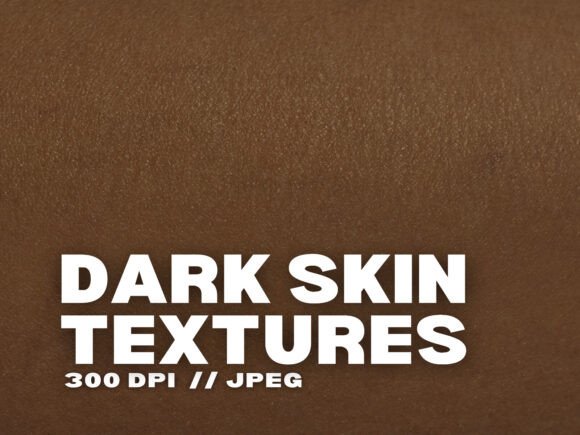
Creating authentic digital art, photography edits, or design projects often comes with the challenge of capturing realistic human skin tones. If you're looking to add depth and authenticity to your visuals, 10 Dark Skin Textures offers a premium solution. This collection of high-resolution JPG images brings lifelike detail to your creative work, whether you're a beginner or a seasoned professional.
Each texture in the set is carefully crafted to reflect the richness and diversity of dark skin tones. With a resolution of 300 DPI, these textures are sharp, clear, and suitable for both digital and print use. The pack includes ten unique variations, allowing you to choose the perfect shade and tone for your specific project needs.
Why Realistic Skin Textures Matter
In digital art and design, realism often hinges on the smallest details. Skin texture is one of those subtle but powerful elements that can make or break the authenticity of a character or portrait. Without accurate textures, even the most well-drawn faces can appear flat or artificial. 10 Dark Skin Textures helps you overcome this hurdle by providing ready-to-use overlays that enhance depth and realism.
Whether you're working on a digital painting, a photo edit, or a fashion mockup, having access to high-quality skin textures can save time and elevate your final output. These textures are especially useful for creators aiming to represent diverse skin tones with accuracy and respect.
How to Use Dark Skin Textures in Your Work
This versatile pack supports a wide range of creative applications. Here are a few practical ways you can integrate 10 Dark Skin Textures into your projects:
- Digital Art & Illustration: Add realistic skin tones to your characters by overlaying textures in graphic design software like Photoshop or Procreate.
- Photography Editing: Use the textures to retouch portraits, enhance skin details, or create artistic effects in post-processing.
- Graphic & Web Design: Incorporate the textures as background elements or design accents to add visual interest and warmth.
- Fashion & Beauty Mockups: Present your designs with lifelike realism by applying skin textures to models or product mockups.
- Print Projects: From book covers to posters, these textures work beautifully in printed media thanks to their high resolution.
What Makes This Texture Pack Stand Out
Not all texture packs are created equal. 10 Dark Skin Textures stands out for several key reasons:
- High Resolution: Each image is 300 DPI, ensuring clarity whether you're working on screen or in print.
- Diverse Tones: The set includes a variety of melanin-rich tones, helping you accurately represent a wide range of skin types.
- Instant Access: After purchase, you can download the files immediately and start using them right away.
- Commercial Use: You're free to use these textures in both personal and professional projects without additional licensing.
Who Can Benefit from These Textures
This texture pack is ideal for a broad audience. Whether you're a hobbyist just starting out, a freelance designer building your portfolio, or a small business owner creating marketing materials, 10 Dark Skin Textures can support your creative goals. Educators and content creators can also use these textures to produce more inclusive and visually engaging materials.
For digital artists, the textures offer a shortcut to realism without the need to manually recreate skin details. Photographers can use them to enhance their retouching workflow. Even web designers and marketers can find value in using these textures as part of visually compelling layouts or branding elements.
Important Considerations Before Use
While these textures are easy to use, a few considerations can help you get the most out of them:
- Software Compatibility: Make sure your design software supports JPG overlays. Most major tools like Photoshop, GIMP, and Procreate do.
- Layer Blending: Experiment with blending modes (like overlay, soft light, or multiply) to achieve natural-looking results.
- Scaling: Since the textures are high resolution, you can scale them without losing quality, but always check for clarity after resizing.
- Color Adjustments: You may want to tweak the hue or saturation to match your specific project colors.
Final Thoughts
Whether you're aiming to improve your digital artwork, enhance photography edits, or bring more authenticity to your design projects, 10 Dark Skin Textures is a valuable tool. Its high-quality, diverse tones, and flexible use make it a worthwhile addition to any creative toolkit. By incorporating these textures into your workflow, you not only save time but also ensure your work reflects the beauty and diversity of real people.